
This page contains affiliate links. Far Cornel may earn a commission if you buy through them, at no extra cost to you.
See current dual battery monitors on Amazon →
Quick answer: A shunt-based monitor is the one worth buying — it tallies the amp-hours flowing in and out for a true state-of-charge percentage, where a plain voltmeter only guesses. A Bluetooth smart shunt adds history and app alerts; an all-in-one panel display suits a dash you glance at while driving. Fit a simple voltmeter only if all you run is a light and a phone off a small auxiliary battery.
It is 2am, the fridge clicks off and stays quiet, and by morning your food is warm — yet the little voltmeter on the dash still reads a reassuring 12.6 volts. That contradiction is the entire reason battery monitors exist. Voltage is a snapshot that only means something after a battery has rested for half an hour with nothing charging or draining it. Under a fridge, a light bar and a charging phone it sags; on charge it reads high. Trust that number mid-trip and it will let you down at the worst possible time.
A proper monitor ends the guessing. Instead of reading voltage and hoping, it measures the current flowing through a shunt and counts the amp-hours, so it can tell you the one thing you actually want to know: how much usable charge is left, as a percentage, right now. Get the right type and set it up correctly and you stop rationing power out of fear — and stop quietly murdering an expensive battery by accident. Here is what separates a monitor worth wiring in from a gimmick on the dash.
Quick Picks
- Best overall: a shunt-based monitor with a clear display — true state of charge, not a guess from voltage.
- Best set-and-forget: a Bluetooth smart shunt (Victron SmartShunt style) with app history and low-charge alerts.
- Best at-a-glance: an all-in-one panel display you can read on the dash while driving.
- Best budget check: a simple voltmeter for a light-duty single auxiliary battery.
- Best for big systems: a battery-management display that watches two banks and every charge source at once.

How to Choose a Dual Battery Monitor
Know what you are actually measuring. A voltmeter reads terminal voltage, which is a poor proxy for charge. A lead-acid or AGM battery sits near 12.7 volts full and around 12.0 volts flat — but those figures only hold after it has settled for 30 to 60 minutes with nothing charging or draining it. In real use a compressor fridge kicking in can drop the reading half a volt in an instant, and a DC-DC charger can hold it above 13 volts while the battery is barely half full. A shunt-based monitor sidesteps all of that by counting every amp-hour in and out, so it reports true state of charge whether you are parked, driving or running the camp.
Understand why 100Ah is never really 100Ah. Lead-acid and AGM batteries surrender less usable capacity the harder you pull from them — the Peukert effect — so a “100Ah” AGM worked hard by a fridge and inverter might give only 60 to 70 usable amp-hours before it is genuinely flat. A good shunt monitor lets you enter the battery’s rated capacity and a Peukert value so the percentage reflects reality rather than the label; lithium stays much flatter under load and is simpler to model. Set those values at install, or the percentage on the screen is just a prettier guess.
Wire it so the count stays honest. The shunt belongs in the battery’s negative line, and this is the detail people get wrong: every earth that charges or draws from the battery — DC-DC charger, solar, fridge, lights, winch — must land on the load side of the shunt, with only the battery’s own negative on the other side. Miss one connection and the monitor never sees that current, so its reading drifts over a single weekend. Fuse the positive sense wire close to the battery, keep the sense leads tidy, and confirm the battery type and capacity are set before you trust the display. Wired properly it is the most useful gauge in the vehicle; wired carelessly it lies with total confidence.
The Monitors
Compare shunt monitors and prices on Amazon →
Basic voltage monitor
A plug-in or panel voltmeter is cheap, tidy and genuinely useful for a light-duty setup — a single auxiliary battery running a light, a fan and a phone charger. It shows trends well enough that you will notice a battery slowly losing the plot. What it cannot do is tell you true state of charge under load, because it only reads voltage. Treat it as a fuel-warning light, not a fuel gauge. See what basic voltage monitors are going for right now
Shunt-based monitor with a display
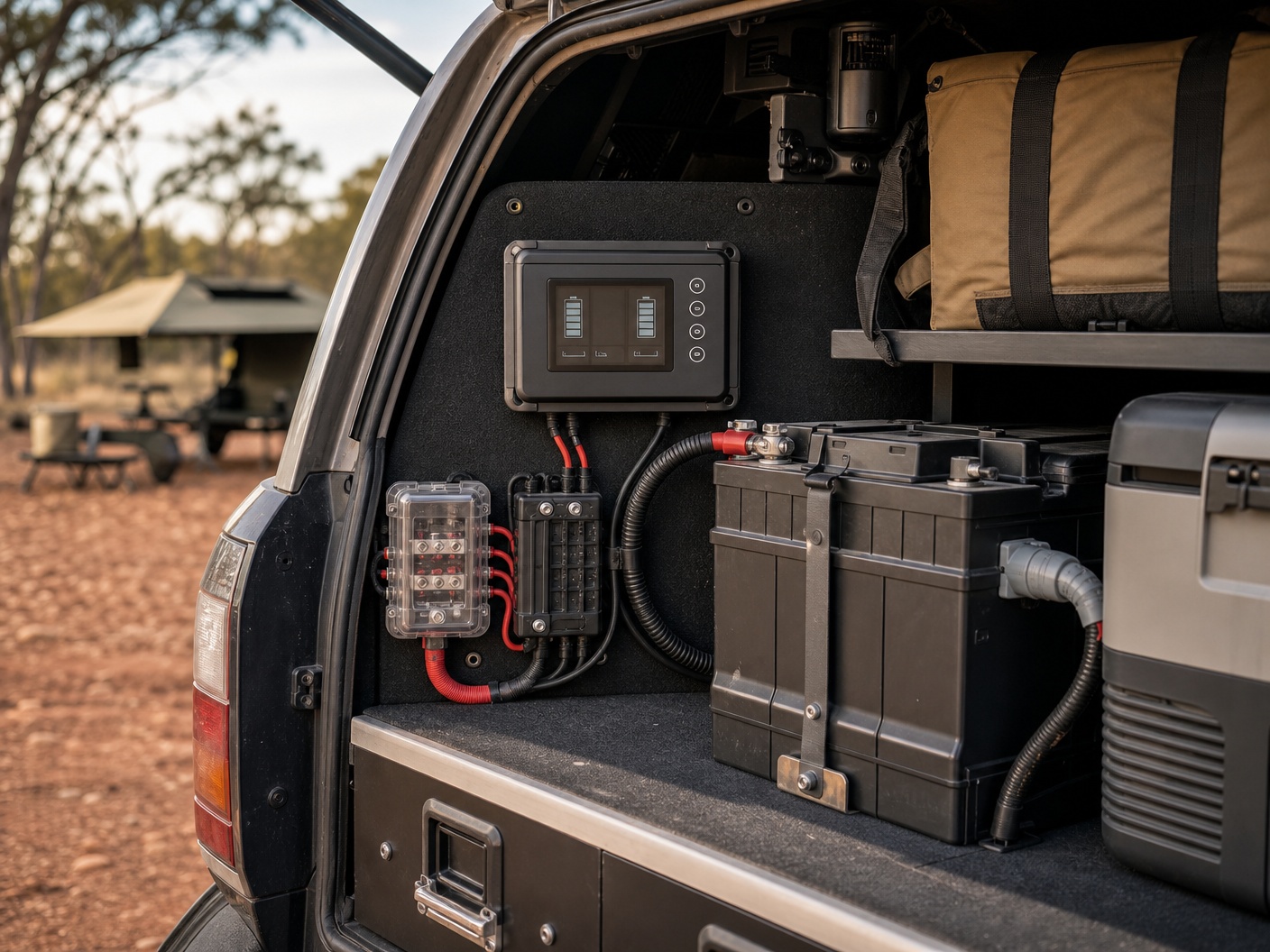
This is the workhorse most touring setups should own. A shunt in the negative line plus a wired display (the Victron BMV-712 is the archetype) counts amp-hours in and out and shows a real percentage, current draw and time remaining. You get an honest fuel gauge for your electrical system, so you can run the fridge overnight knowing exactly how much you have left in the morning. Set the capacity correctly and it just works. Check current shunt monitors with a display
Smart shunt with Bluetooth
A Bluetooth smart shunt (Victron SmartShunt being the obvious example) does the same coulomb-counting but sends it to your phone instead of a dash gauge — handy when there is nowhere clean to mount a display, and better for history, trends and low-charge alerts you can set and forget. The only question worth asking is whether you will actually open the app; if you want a number at a glance while driving, pair it with a small display or pick an all-in-one instead. Compare Bluetooth smart shunts
All-in-one battery-management display
Step up to a management display (Redarc, Enerdrive and BMPRO all play here) and one screen watches both batteries, the solar input and the DC-DC charger together, often with the charger built into the same system. It is the neat, integrated choice for a serious dual-battery build where you want everything reported in one place. You pay for the integration, and it makes the most sense when you are wiring a system from scratch rather than adding a gauge to an existing one. See all-in-one battery management displays
Dual-input panel meter
A dual-input panel meter shows the voltage, and often the current, of two batteries side by side on one gauge. It is a clean upgrade from a single voltmeter when you simply want to keep an eye on a starter and an auxiliary battery at a glance, without the cost or wiring of a full shunt system. It still reads voltage rather than counting amp-hours, so treat its numbers the same way — useful for comparison, not gospel for state of charge. Look at dual-input panel meters
Comparison
| Type | What it reads | Best for | Watch-out |
|---|---|---|---|
| Basic voltmeter | Voltage only | Light-duty single aux battery | No true state of charge |
| Shunt + display | Amp-hours, %, current | Most touring setups | Needs correct setup |
| Smart shunt (BT) | Amp-hours via app | No room for a gauge | Only useful if you check the app |
| All-in-one BMS | Banks + charge sources | Full system builds | Costlier, best wired from scratch |
| Dual-input meter | Two batteries’ voltage | Starter + aux at a glance | Still voltage, not charge |

Frequently Asked Questions
Is a voltmeter enough, or do I need a shunt monitor?
For a small setup — a light and a phone off one auxiliary battery — a voltmeter is fine as a warning gauge. The moment you run a fridge overnight and want to know how much charge is actually left, you need a shunt-based monitor, because voltage under load will not tell you.
Where does the shunt have to go?
In the battery’s negative line, with every other negative — charger, solar, fridge, accessories — connected on the load side so the shunt sees all of it. Only the battery’s own negative sits on the other side. Get this wrong and the monitor misses some current and slowly reads high.
Do I really need Bluetooth?
Only if you will use it. Bluetooth is great for history, trends and alerts, and for setups with nowhere tidy to mount a gauge. If you prefer a number you can read at a glance while driving, a wired display or an all-in-one panel is the better buy.
Why does my monitor’s percentage drift over time?
Usually because a charge source or load is wired outside the shunt, or the battery capacity and Peukert values were never set. Small counting errors accumulate, so a good monitor re-synchronises to 100 percent each time the battery reaches full charge. Fix the wiring and set the values and the drift stops.
The Bottom Line
If your setup is bigger than a light and a phone, buy a shunt-based monitor and wire it properly — it is the difference between guessing and knowing, and the fastest way to stop killing batteries you paid good money for. Add Bluetooth if you like history and alerts, step up to an all-in-one display if you are building a full system from scratch, and keep a plain voltmeter only for the simplest single-battery jobs. Whatever you choose, set the battery capacity and type on day one, or even the best monitor will lie to you in a very convincing way.
Sorting the rest of your 12-volt system? Pair a monitor with the right charging in our guide to the best DC-DC chargers, cover yourself for a flat start with the best 4WD jump starter packs, and weigh the alternative approach in our look at choosing a portable power station size.